Tool guide
Value matcher guide
Bookmaker prices set against the Betfair Exchange price, with the edge shown as EV %. Keep the tool open in another tab and go straight to the task you are on.
New to value betting? The value betting guide explains the idea, variance and bankroll. This page is about the tool.
Quick start
From an empty screen to your first value bet, in four steps.
- Set your Min EVOpen Filters. Min EV starts at 1%: raise it to see fewer, larger edges.Show me how
- Pick your bookmakersUnder Bookmakers, keep only the ones you hold an account with.Show me how
- Read EV % and AgeEV % is the edge against the Betfair Exchange price. Age is how old the bookmaker price is.Show me how
- Check the price, place, logClick the odds to open the bookmaker, confirm the price there, then log the bet.Show me how
- The table is empty? What to check.
- Looking for lay odds and ratings? That is the Oddsmatcher.
The Value matcher at a glance
Where: Find a bet, Value matcher
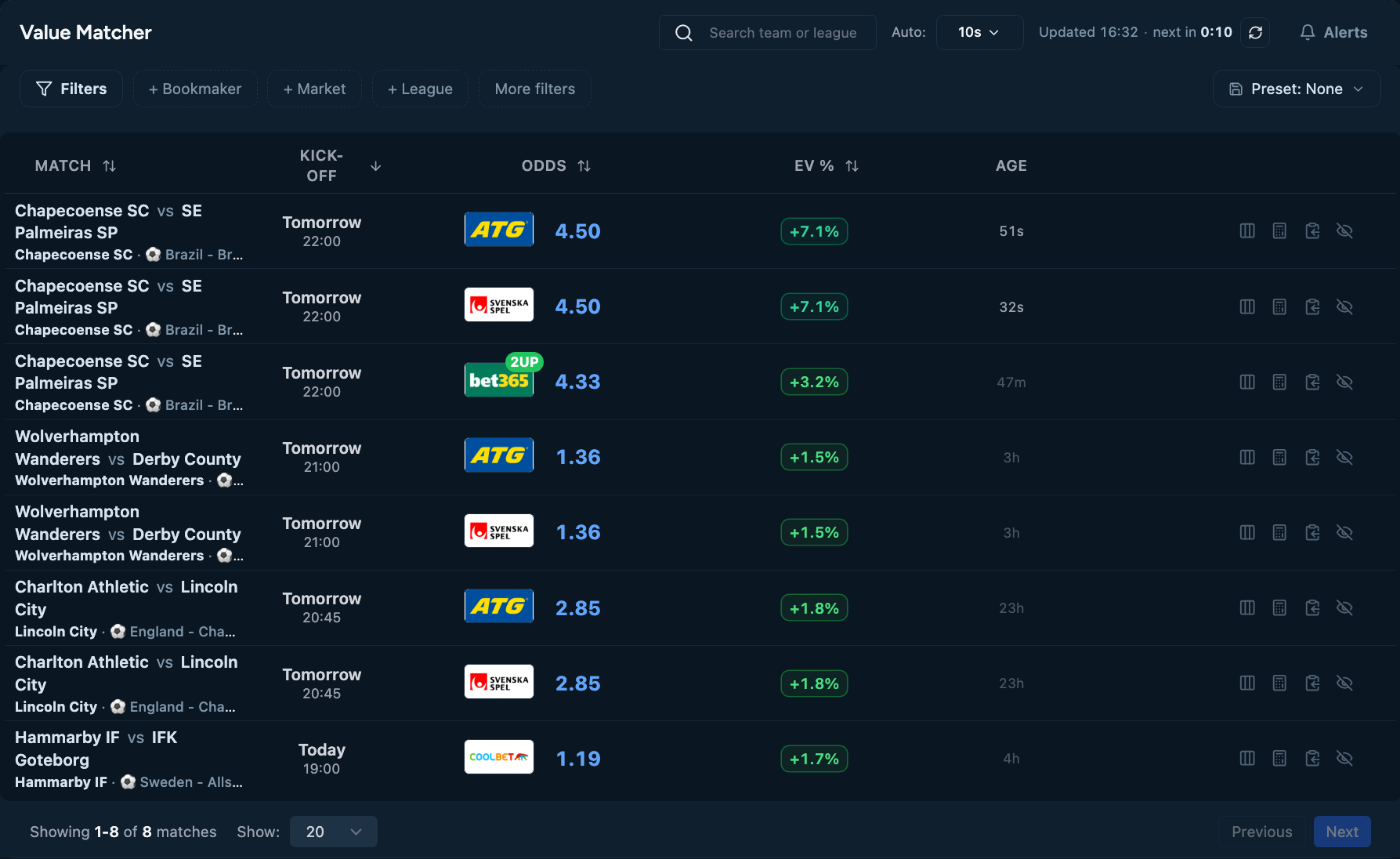
The menu calls it Value matcher; the page heading reads Value Matcher. The ? after the heading says, in the tool's words:
Find bookmaker odds that look higher than the Betfair Exchange market price. EV is calculated against that reference.
- Header
- Search team or league, the refresh speed (Auto:), Updated with the time to the next refresh, and the Alerts bell.
- Filter row
- Filters opens the filter panel. The chips beside it are the filters in force; click one to remove it.
- Table
- One row per bookmaker price: Match, Kick-off, Odds, EV %, Age and the row buttons.
- Under the table
- The page buttons and Show: 10, 20 or 50 rows a page.
What is not here
No lay odds, no Rating and no exchange choice. Matches that have started are not listed: only matches still to kick off.
What EV % means and how it is worked out
Where: The EV % column
EV % is how far the bookmaker's price sits above the Betfair Exchange price for the same selection. A positive figure means the bookmaker pays more than the exchange market does.
The calculation
Example: the bookmaker offers 2.20 and the Betfair lay price is 2.10. EV % reads +4.8%.
- The reference is always the Betfair Exchange lay price. SharkBetX and SBX Classic are never used here.
- No commission is taken off. Adj. commission does not change EV %.
- No margin is removed. The lay price is taken as the fair price as it stands, which reads the edge on the cautious side.
- EV % is shown to one decimal, with a + in front of a positive figure.
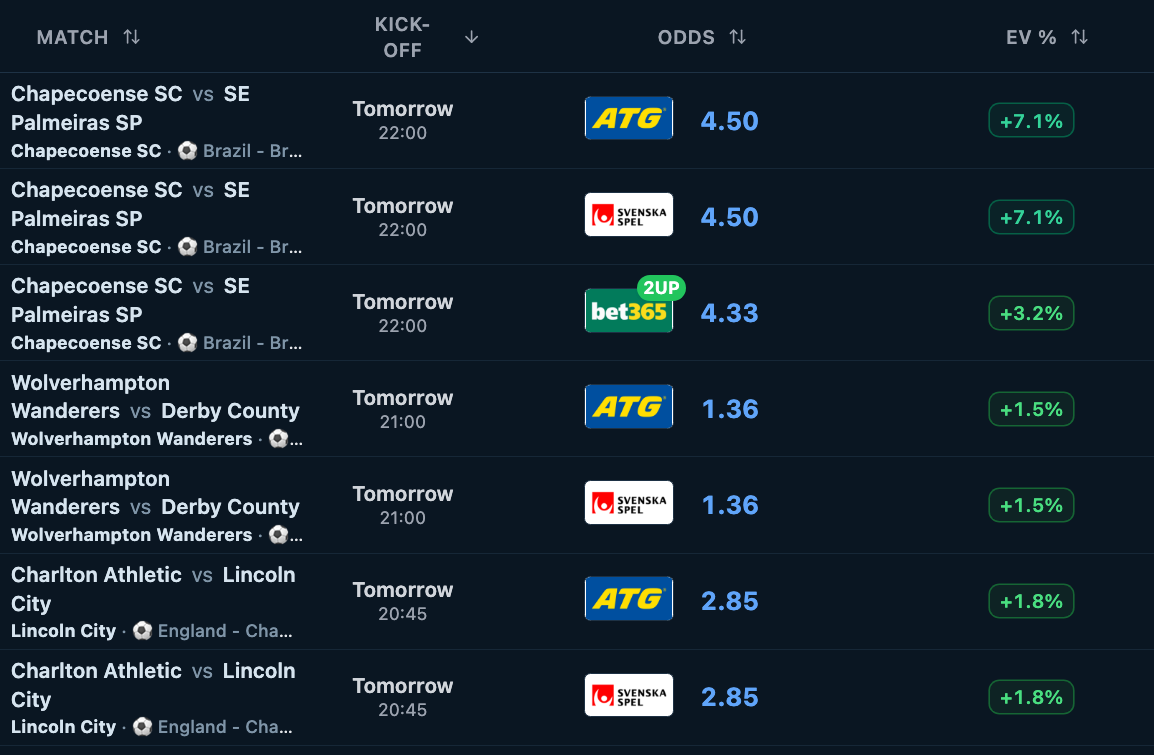
- Dark green
- 5% or more.
- Green
- 1% to 5%.
- Grey
- Around zero.
No stake is suggested
The Value matcher shows the edge, not a stake. How much to bet is your call; the value betting guide covers variance and bankroll.
Where to see the Betfair price behind a row
The table does not show it. Open the calculator on the row: the Betfair lay price is filled in under LAY ODDS (DECIMAL).
Price age and old prices
Where: The Age column
Age is the time since the bookmaker's price last changed: seconds, then minutes, then hours. It is not the time since the page refreshed.
- Green
- Changed in the last 15 seconds.
- Grey
- Up to 90 seconds.
- Faded
- Older than that.
Hover the figure to see when the exchange price last changed too. The tooltip says why it matters: a long-unchanged price can be a market the bookmaker has stopped updating, so always confirm the price on the bookmaker's site before you place the bet.
Exact times
Hover the odds or the bookmaker logo: Price changed: is when the price last moved, Page refreshed: is when your table last loaded.
Set Min EV
Where: Filters, Preferences
Open the panel
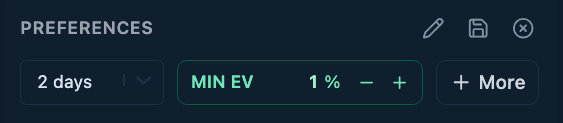
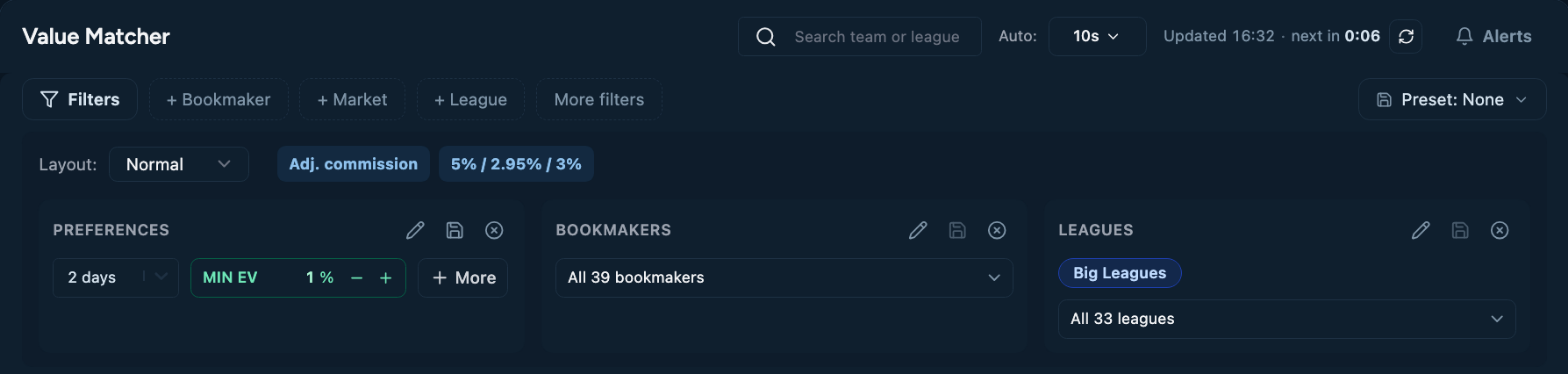
Click Filters. Min EV sits in the Preferences group, next to the time range.
Type a figure or step it
Type a percentage, or use the minus and plus buttons to step by 0.5. The table then lists only rows at or above it.
Good to know
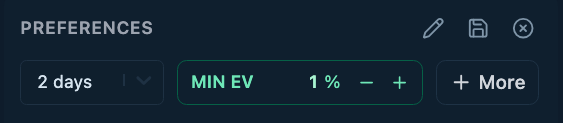
Min EV starts at 1% each time you open the page. It is not kept with your filters or in a preset.
Filters and presets
Where: Filters, and More in the Preferences group
The filter panel, the presets, the bookmaker and league lists and the hidden matches are the same as in the Oddsmatcher, and they are shared: what you set in one tool shows in the other. How each works is in the Oddsmatcher guide.
- Preferences
- The time range, Min EV and More. More opens a panel titled Alerts with the odds range, Available and the markets.
- Bookmakers
- The bookmakers whose prices are listed. Only your enabled bookmakers can be picked.
- Leagues
- The leagues listed, grouped by sport.
- Adj. commission
- Takes the exchange commission into the Oddsmatcher's Rating. It does not change EV %; what it does here.
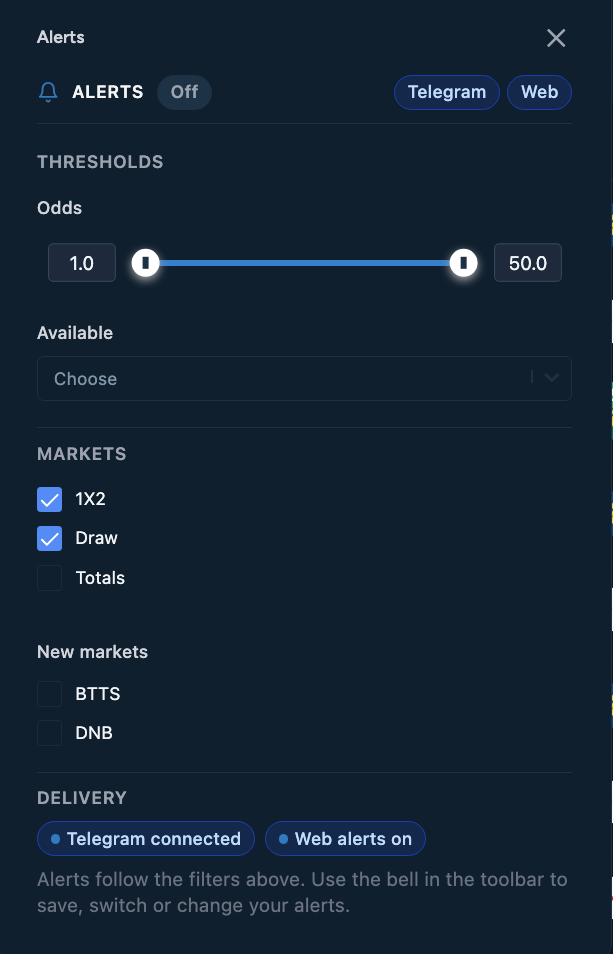
Available, with no Available column
Available is the stake you could lay at the Betfair price. The filter still works here, but the column is not shown in the Value matcher.
Sort the list
Where: The table headings
Which rows land on which page is decided by EV %, highest first. Page 1 holds the largest edges.
Inside a page, the rows follow the heading you sorted by. Click Kick-off for earliest first, again for latest first. The tool remembers your choice.
Good to know
A heading only reorders the page you are on; it does not re-rank the whole list. Clicking EV % does not put the page in EV order, so read the badges rather than the position.
To see fewer matches rather than reorder them, narrow the time range or the leagues in Filters.
Check and place a bet
Where: A row of the table
Open the bookmaker
Click the price under Odds. It opens the bookmaker in a new tab. Where there is one, the small arrow beside it opens that market directly.
A 2UP tag on a logo marks the bookmaker's 2UP offer.
Confirm the price there
Prices move. If the bookmaker now shows less than the table, the edge has shrunk or gone: work it out again with the formula in What EV % means.
Place it, then log it
Place the bet at the bookmaker, then log it in the tracker.

- Open in Match View
- Every price for that match side by side: Match View guide.
- Open calculator
- The matched betting calculator, filled in from the row.
- Copy match name
- Copies the match, to paste in the bookmaker's search.
- Hide
- Hide this match for me (comes back at kickoff). Hidden matches are listed under Matches you hid, as in the Oddsmatcher.
The calculator on a value bet
It is built for matched betting: it works out a lay stake and a BET RATING. On a value bet you place only the bookmaker side, so the lay figures are not needed.
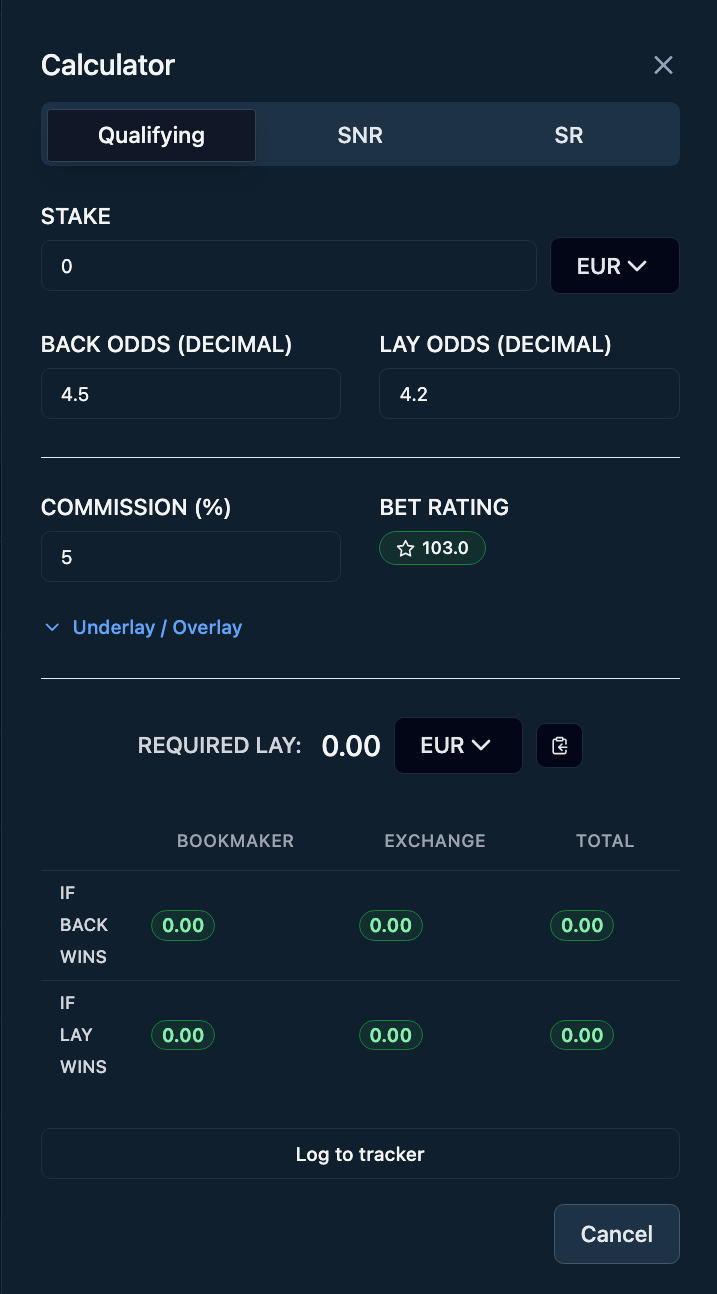
It is useful for the Betfair price behind the row and for Log to tracker.
Log it in the Bet Tracker
Where: Calculator, Log to tracker, or the tracker itself
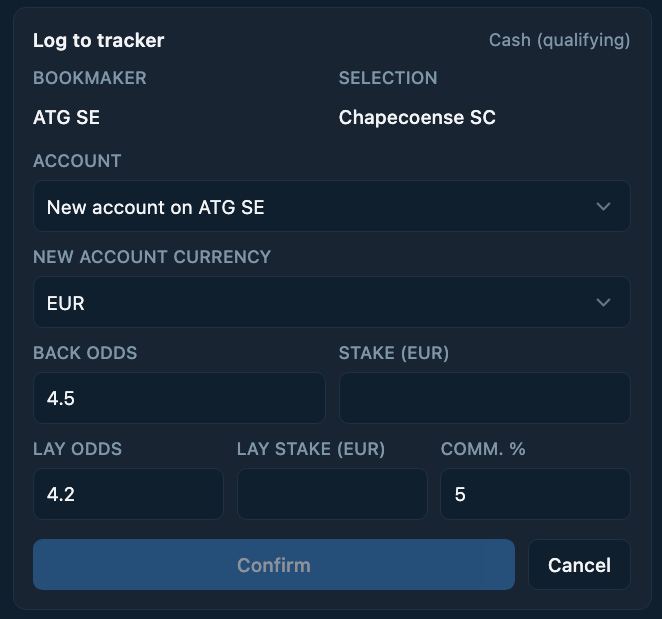
Log to tracker also books a Betfair lay
From the Value matcher, the Log to tracker panel always includes Lay odds, Lay stake and Comm. %, and Confirm books that lay with your bet.
If you did not lay the bet, do not use it: log the bet by hand instead.
Open the Bet Tracker
In the Bet Tracker, click New Event and type the match.
Add the bookmaker bet only
Add one back bet with the odds and stake you got, on your account at that bookmaker. Add no lay.
Every field is explained in the Bet Tracker guide.
You did lay it on Betfair
Then Log to tracker fits: open the calculator, click it, check the back and lay figures and click Confirm. The Bet Tracker guide has the panel field by field.
Refresh and delay
Where: The header, right side
- Auto:
- How often the table reloads by itself: 10s, 30s or 2m on Pro, 8m on the free plan.
- Updated
- When the table last loaded, and the time to the next reload.
- Refresh now
- The round arrow reloads at once. On the free plan it waits out the 8 minutes; hover it to see when.
- On Pro, the prices on the rows you see also update every 5 seconds between reloads. The order stays put until the next reload, so a row can sit above one with a higher EV % for a moment.
- The countdown pauses while the tab is in the background.
- After ten minutes without a click, key or scroll, updates pause. Touch the page to resume.
Alerts
Where: The Alerts bell in the header
The bell opens Telegram alerts, the same menu as in the Oddsmatcher. Its first row, Filters on screen (live), and New alert from these filters both take the filters you have set.
Alerts do not use EV %
An alert is a matched betting alert: it fires on the Rating, not on EV %, and it ignores Min EV. There is no EV alert yet.
Connecting Telegram and managing alerts is on the Alerts page.
What each plan sees
- Signed out
- A short free feed that reloads every minute, with the bookmaker not named. Min EV works; the feed can be empty. Sign up free opens the full list.
- Free
- The full list for up to 2 bookmakers, reloaded every 8 minutes. Prices do not update between reloads.
- Pro and Pro Live
- Up to 20 bookmakers, reloads every 10 seconds to 2 minutes, and prices that update every 5 seconds in between.
Good to know
The Value matcher works the same on Pro and Pro Live. On the free plan, reloading too often is refused with Free plan refresh limit reached. Upgrade to Pro for real-time odds.
Plans and prices: see the plans.
On a phone
- Each row shows the match, the selection, the kick-off and Age, then Odds and EV %.
- Tap a row to open the calculator. Tap the price to open the bookmaker.
- Match View is a link inside the row.
- Auto:, Adj. commission and the quick filter chips are not shown on a narrow screen.
- More opens a sheet from the bottom with Sort by (Match, Odds or EV %), the time range, bookmakers, leagues, the odds range and the markets.
Nothing shows, or a number looks wrong
- No matches found
- Lower Min EV, widen the time range, add markets or bookmakers, or clear the search. Then check the Rating floor.
- A bookmaker is missing
- It must be enabled for you. A bookmaker whose prices stopped updating while the market moves is left out until it updates again.
- A very high EV %
- More often an old or mismatched price than a real edge. Check Age and the price at the bookmaker.
- The bookmaker shows less
- The price moved after the table loaded. Click Refresh now and look again.
Something in the tool does not match this guide? Tell us on the help page.