Tool guide
Match View guide
One match at a time: every bookmaker's price for the result, under the lay prices of the exchanges. Keep Match View open in another tab and go straight to the task you are on.
Match View comes with a free Sharkbetting account. Live mode is part of Pro Live.
Quick start
From a match to the calculator, in four steps.
- Open a matchMatch view in the menu, or the Match View icon on an Oddsmatcher row.Show me how
- Read the lay rowsThe pink rows at the top are the exchanges. The lowest lay per outcome is green.Show me how
- Find the best back priceBelow them, one row per bookmaker. The best back price per outcome is boxed.Show me how
- Click the priceThe calculator opens with that back price against the lowest lay shown.Show me how
- Wondering what the percentage under a price is? It is the rating.
- A match that has started? Live mode refreshes every 2 seconds.
- Seeing nothing? Check these first.
Match View at a glance
In the menu it is Match view, under Match & market. The page itself is headed Match View.
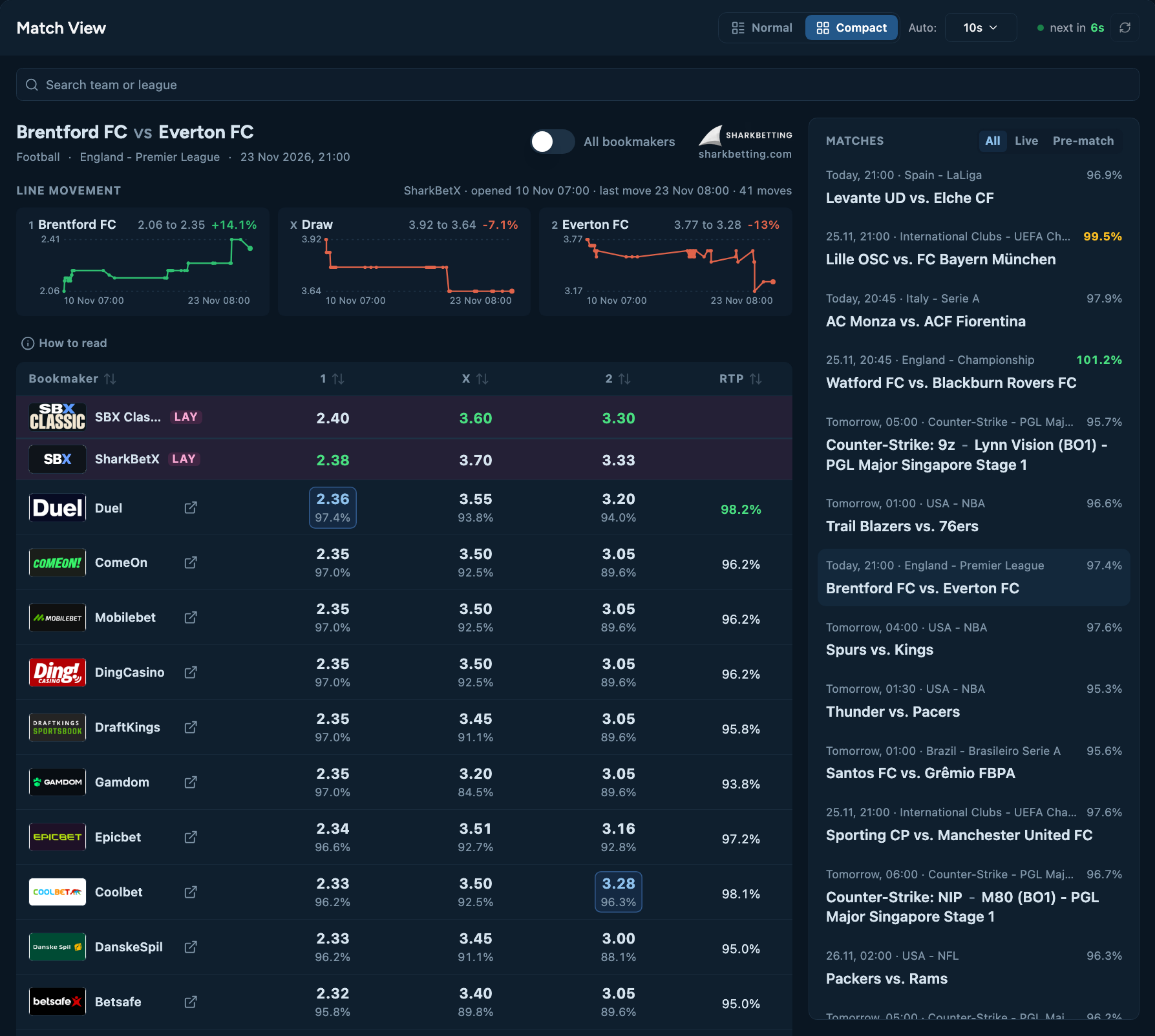
- The header row
- Normal and Compact (row size), Auto: (how often it refreshes), the countdown and the refresh button.
- Under it
- The search box, Search team or league.
- Left: the match
- Its name, sport, league and kick-off, the All bookmakers switch, Line movement, and the price table.
- Right: the match list
- Top Matches, or Matches with a live group when your plan has live mode. Click one to open it.
One market
Match View shows the match result only: 1, X and 2. In a sport without a draw, the X column reads -.
Other markets, such as totals and handicaps, are in the Oddsmatcher.
Open a match
- From the menu
- Match view opens on the first match of Top Matches. Pick another from the list or the search.
- From the Oddsmatcher
- On a row, the icon Open in Match View (three columns), left of the calculator. On a phone, the Match View link under the match name.
- From Live Odds
- In the Matches view, a match card opens Match View in live mode. Live Odds guide.
- From Dropping odds
- A match on the board opens here, priced against the exchange. Dropping odds guide.
- From a Telegram alert
- The Match View link in the alert opens that match.

Good to know
A match opens on the same address every time, so a link from your browser bar opens the same match for anyone with an account.
The older Match Odds page
An old address of the form /match/<number>/odds still opens a simpler page called Match Odds, with one exchange row and no calculator.
Nothing in the hub links to it any more. Use Match View instead.
Find a match: search and the match list
Search
Type at least three letters
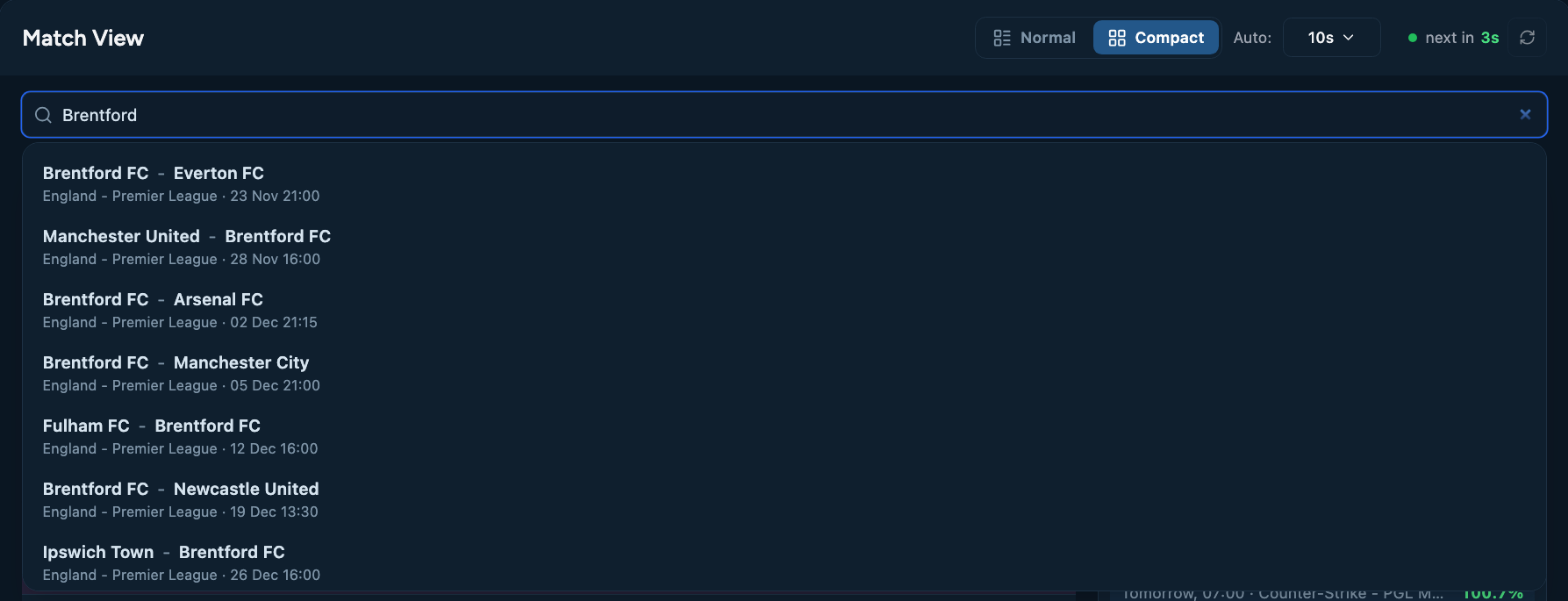
In Search team or league, type a team or a league. Results come as you type.
Pick the match
Up to ten matches, live ones first with a red Live tag, each with its league and kick-off.
A live result opens in live mode, an upcoming one as normal.
What the search box can say
No live or upcoming matches for your words: nothing live or upcoming matches. Try the team's full name or the league.
Search is unavailable right now.: the search service did not answer. The match list still works.
The match list
- Top Matches are the matches with the most money staked on SharkBetX.
- Each shows the kick-off (Today, Tomorrow or the date), the league and the best rating among your bookmakers.
- A match none of your bookmakers prices against the exchange is left out of the list.
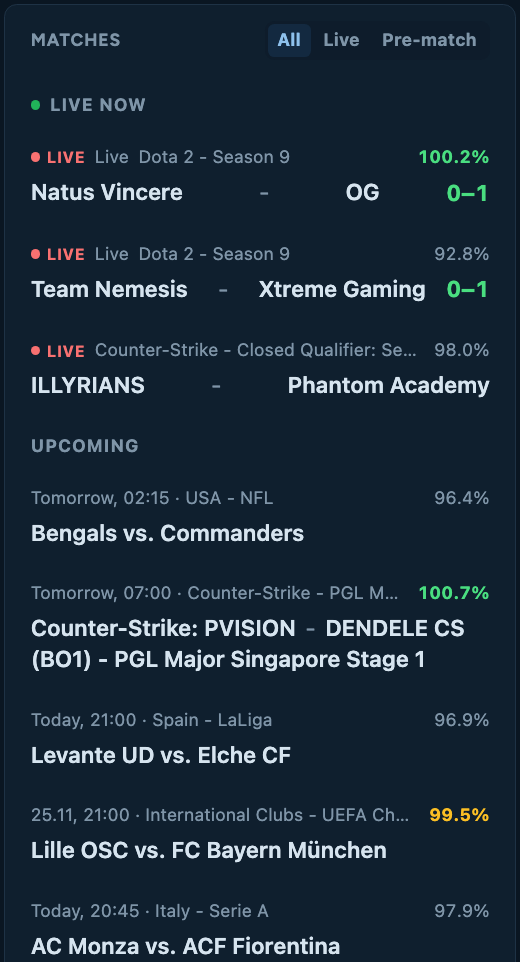
With live mode in your plan the list is called Matches. It has a Live now group with score and minute above Upcoming, and three buttons:
- All
- Live matches first, then upcoming.
- Live
- Only matches in play.
- Pre-match
- Only upcoming matches.
Good to know
Your choice is kept in this browser. Arriving from Live Odds without a saved choice opens on Live.
No filter by sport, league or date
Match View has no sport, league or date filter. To reach a match that is not in the list, search for it.
Read the price table
The table has two blocks. The pink rows at the top are lays on the exchanges; the rows under them are back prices at bookmakers.
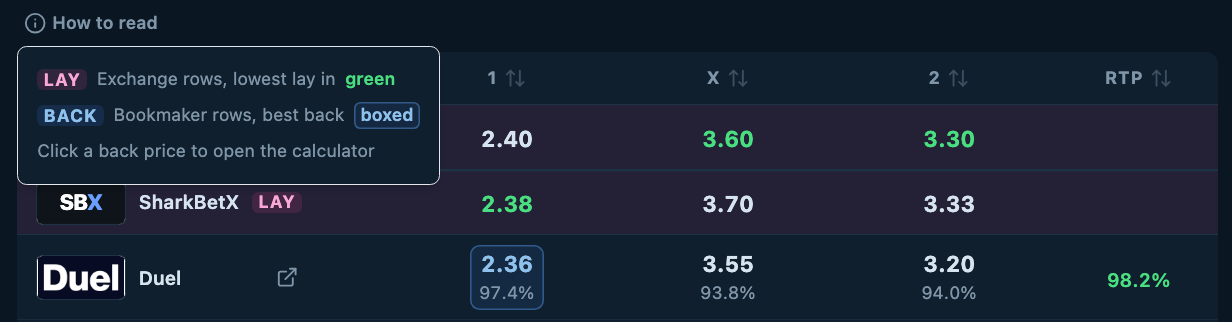
How to read, just above the table, opens the same key in short.
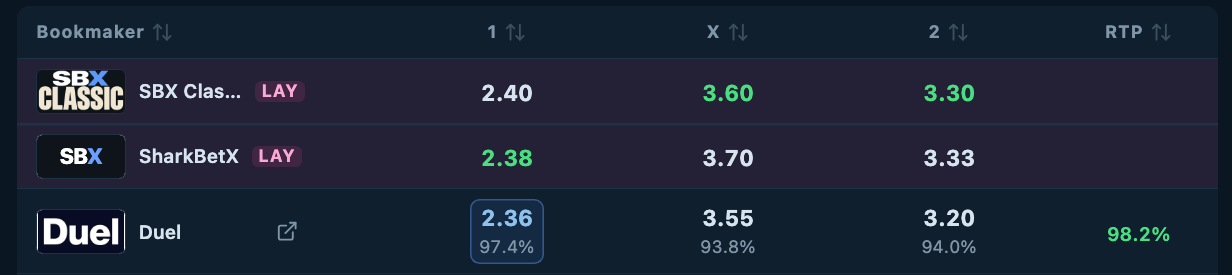
Exchange rows (Lay)
- One pink row per exchange, each tagged Lay: SharkBetX, SBX Classic and, where it is used, Betfair Exchange.
- The lowest lay for each outcome is green. It is only marked when two or more exchanges price that outcome.
- The exchange with the most lowest lays is on top, so the order can change as prices move. The rows stay in view as you scroll.
- An exchange with no lay on any outcome has no row. A missing lay reads -.
Good to know
A lower lay is the better lay: less liability for the same back stake. The table shows the price only, not how much can be laid at it.
When does Betfair Exchange get a row?
SharkBetX is the main exchange. Betfair Exchange gets a row only when SharkBetX has no recent lay on an outcome and the rating had to use Betfair's.
Rarely the table shows a single row, SharkBetX + Betfair, priced from both. Its prices do not open the calculator.
New to the two SharkBetX venues? The SharkBetX guide explains them.
Bookmaker rows (Back)
- One row per bookmaker in your settings that prices the match. The columns are Bookmaker, 1, X, 2 and RTP.
- The best back price for each outcome is boxed in blue. Equal best prices are all boxed.
- Under each price is its rating in percent. A missing price reads -.
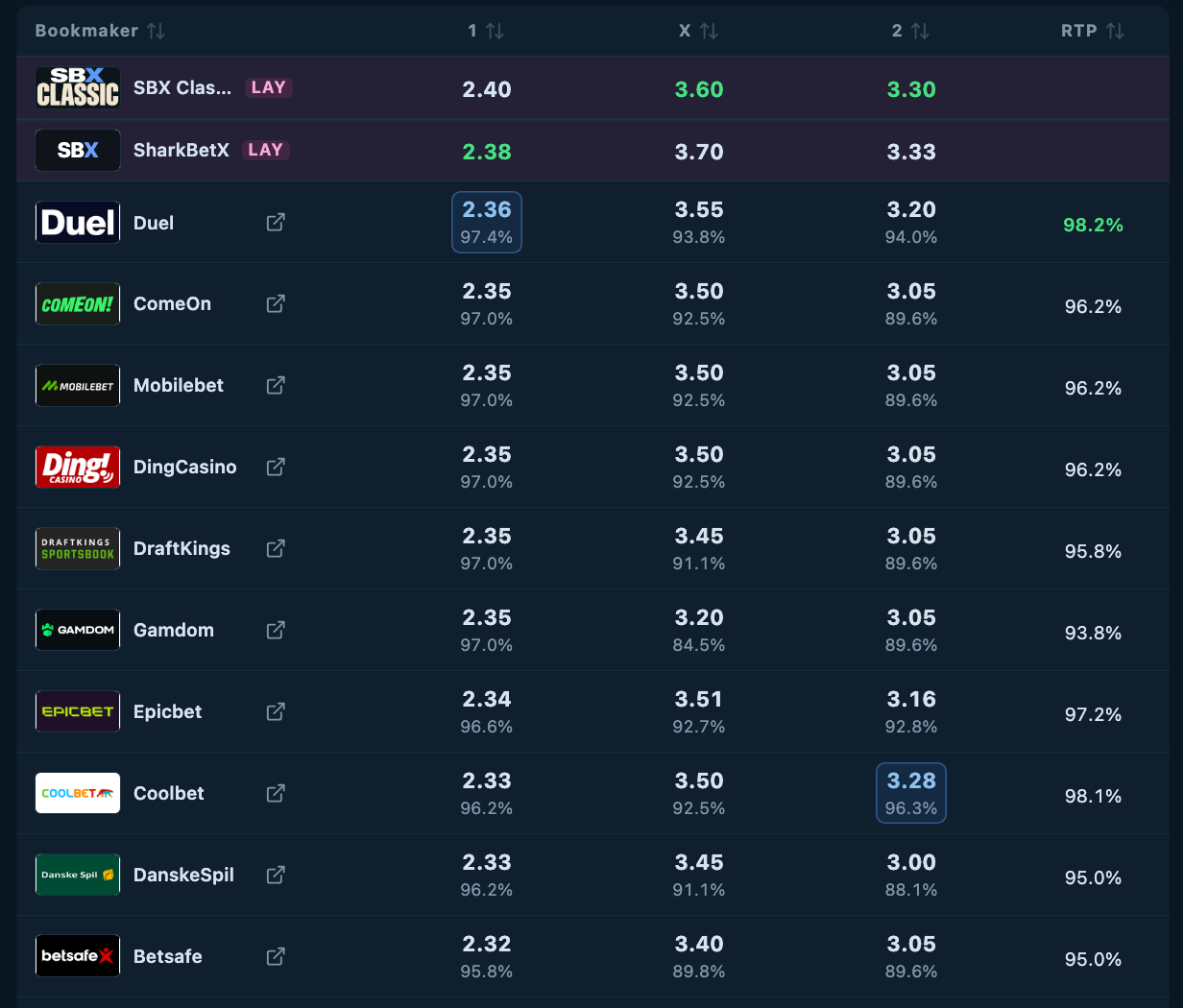
Only prices with a lay
A bookmaker price is listed only when SharkBetX or Betfair Exchange has a lay on the same outcome. Prices that have not been seen recently are left out, not greyed.
The percentage under a price: the rating
It is the share of your stake you keep when you back at that price and lay the same outcome, after commission. 100% means you lose nothing; above 100% you make money whichever side wins.
- Green
- Above 100%.
- Amber
- 99% to 100%.
- Grey
- Below 99%.
How it is worked out
Back price times (1 minus commission), divided by (lay price minus commission), times 100. Commission is your own rate for that exchange.
The lay is SharkBetX's, or Betfair Exchange's when SharkBetX has no lay from the last 30 minutes. A rating above 120% is treated as a pricing error and that price is hidden.
Good to know
The rating always uses that SharkBetX or Betfair lay. The calculator uses the lowest lay shown, which can be SBX Classic's, so its figures can differ from the percentage.
What a rating means for a matched bet is in the matched betting guide.
RTP
RTP (return to player) is the share of all stakes the bookmaker would pay back at its prices on this match: 100 divided by the sum of 1 / price over the outcomes.
- The highest RTP on the match is green.
- A bookmaker missing one outcome has no RTP: a part of the market would read too high.
Sort the table
The bookmaker rows start with the best rating first. Click a column heading (Bookmaker, 1, X, 2, RTP) to sort by it.
The first click sorts high to low, the second low to high, the third goes back to best rating first. The exchange rows always stay on top.
Line movement
Where: Above the price table
Line movement shows how SharkBetX's price for each outcome has moved since its market opened.
- The line above the charts names the exchange, when it opened, the last move and the number of moves.
- Each outcome shows its opening price, its price now and the change in percent. Shortening is red, drifting is green.
- Hover a point on a chart for its time and price.

When there is no chart
SharkBetX has not listed this match yet. or SharkBetX has no price history for this match yet. The rest of the page works as usual.
Moves at the bookmakers, not the exchange, are on the Dropping odds board.
From a price to a bet
Click a back price
The Calculator window opens. At the top it repeats the Match, the Outcome, the Back price and the Lay it is matched against, marked (lowest lay shown).
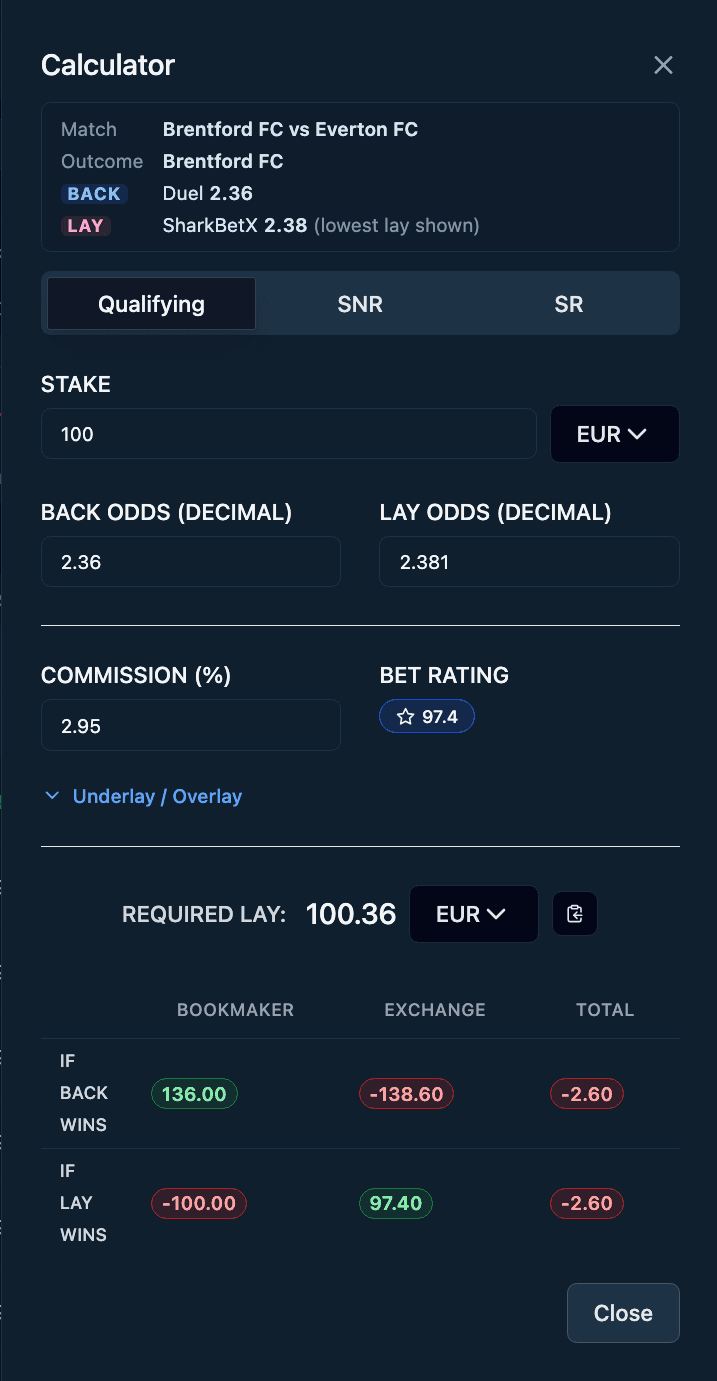
Stake typed in as 100 EUR. Commission (%) shows your own rate for that exchange, from the Oddsmatcher's Commission rates. Good to know
The prices are the ones at your click. The window does not follow later refreshes: close it and click again for new prices.
Work out the stakes
It is the Oddsmatcher's calculator, with your commission for that exchange. The Oddsmatcher guide explains it.
Go to the bookmaker
Click the bookmaker's name to open the bookmaker. The arrow icon beside it opens this market there when we have that link, otherwise the bookmaker's site.
A greyed icon means there is no link for that bookmaker.
Place the lay on the exchange
Match View has no button for the exchange. Open SharkBetX, SBX Classic or Betfair yourself and lay the same outcome.
Log to tracker is not here
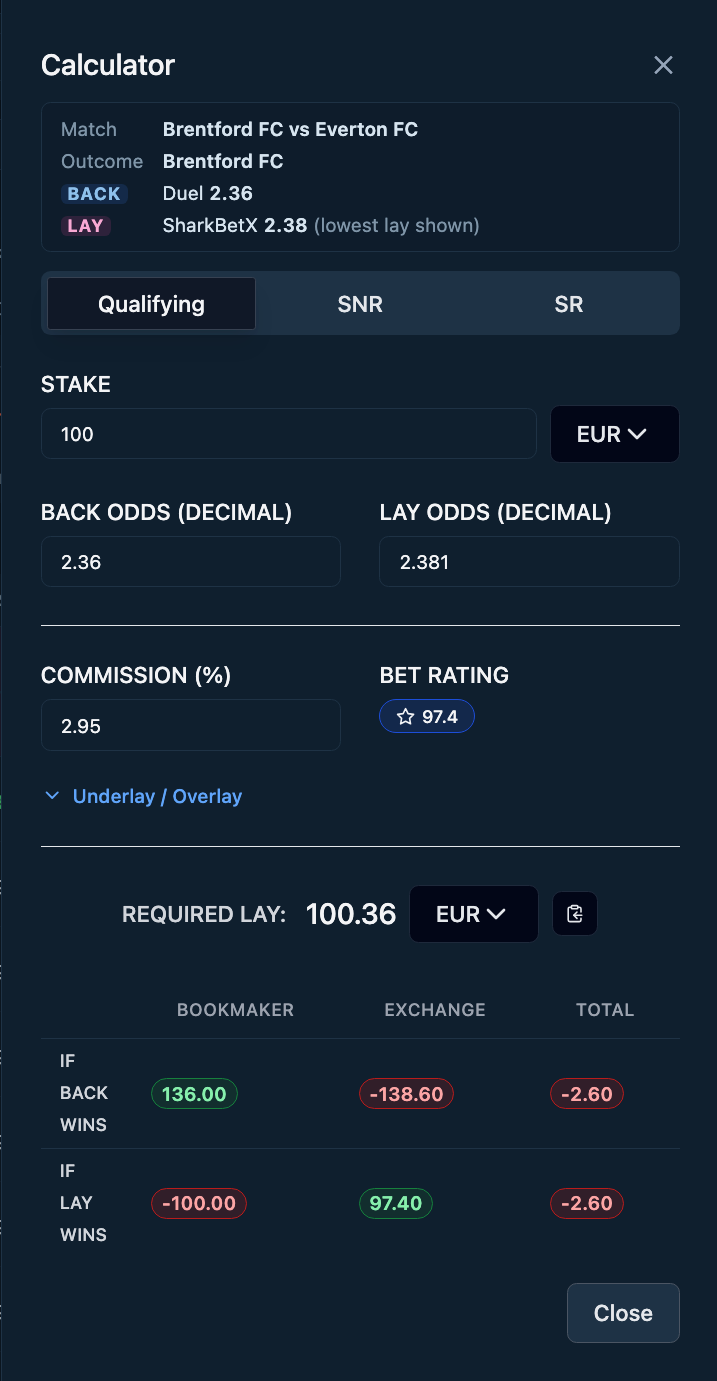
The calculator in Match View has no Log to tracker. Log the bet from the same row in the Oddsmatcher or in the Bet Tracker. A SharkBetX lay logs itself.
A price that does not open the calculator
It stays plain text when there is no lay for that outcome, when the lay row is the mixed SharkBetX + Betfair row, or in live mode when the price is not fresh.
Follow a match live
Where: Pro Live; a match that has started
Open a live match
From Live now in the match list, a search result tagged Live, or a card in Live Odds.
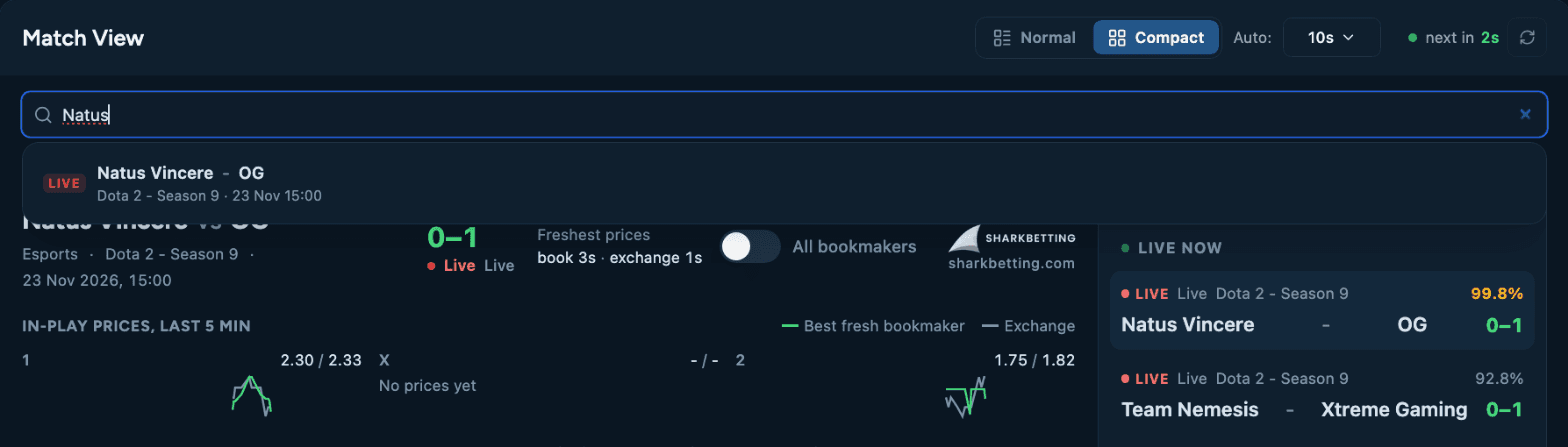
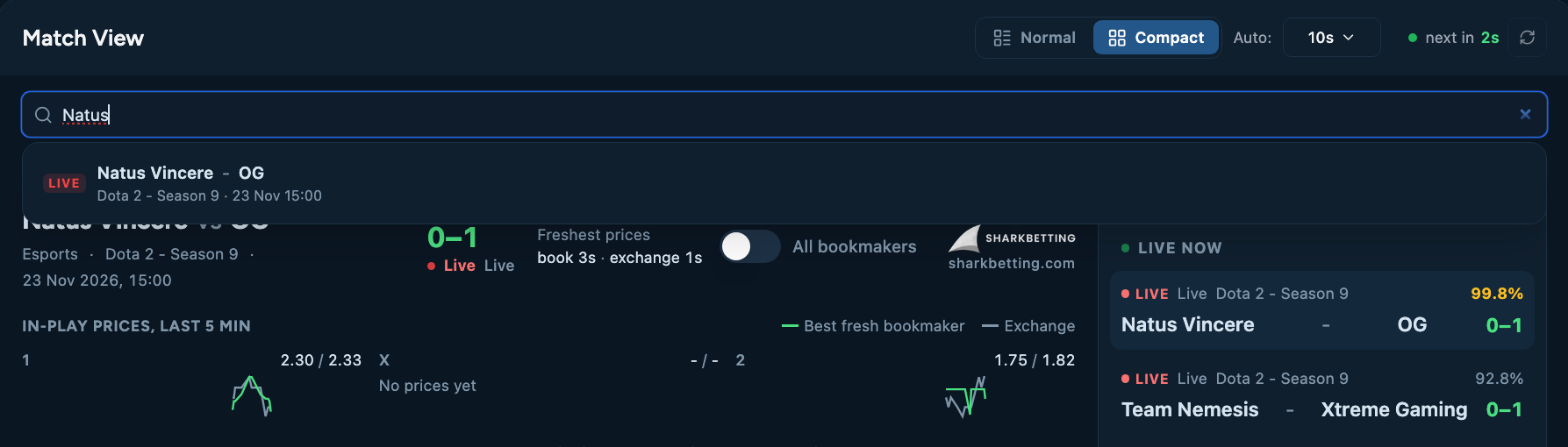
A live search result opens the match in live mode. Swipe sideways to see all of it, or tap to open it. Read the score and the freshness
The header shows the score, Live and the minute where the feed gives one. Freshest prices gives the age of the newest bookmaker price and the newest exchange price.
An age over 45 seconds turns amber.
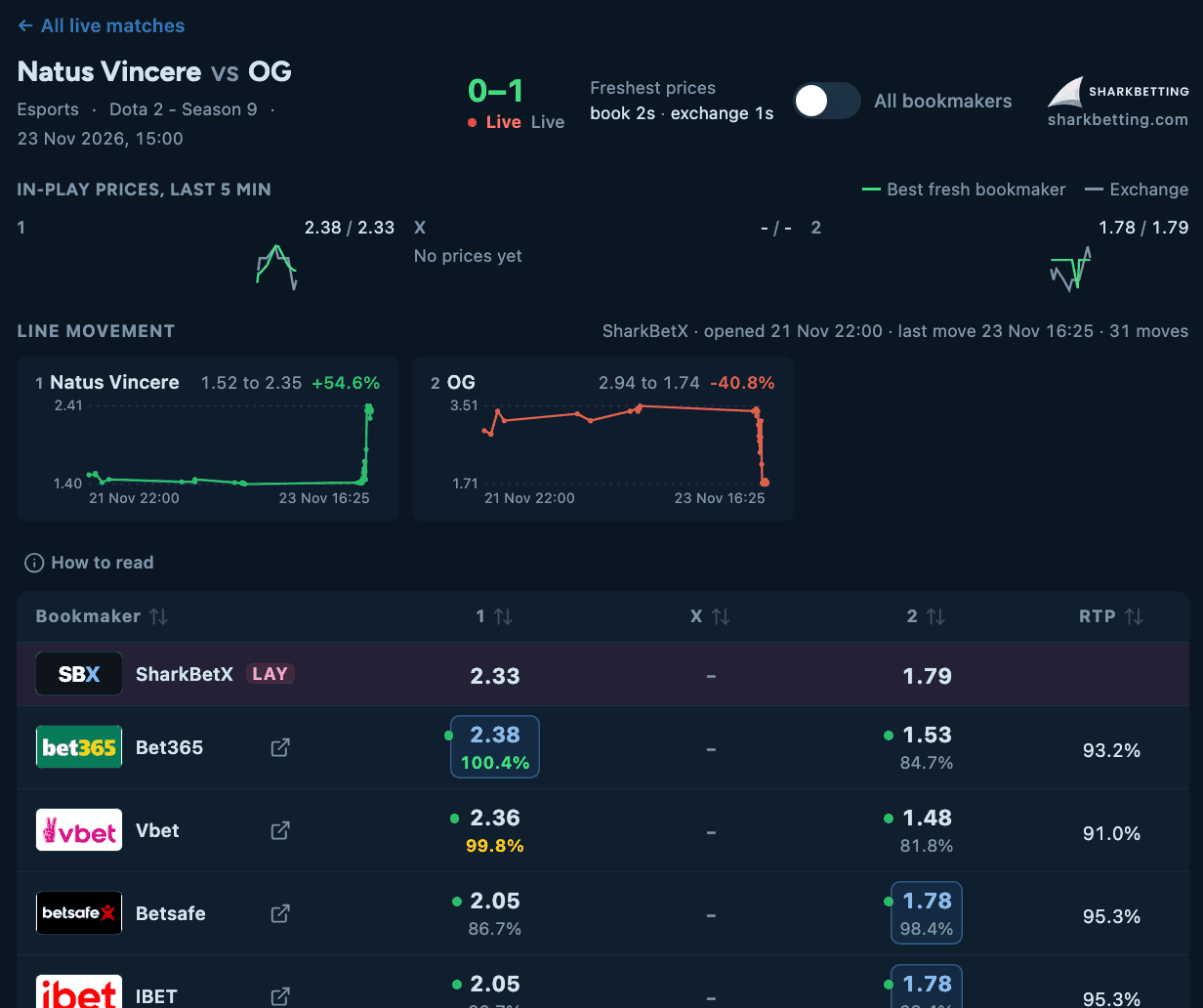
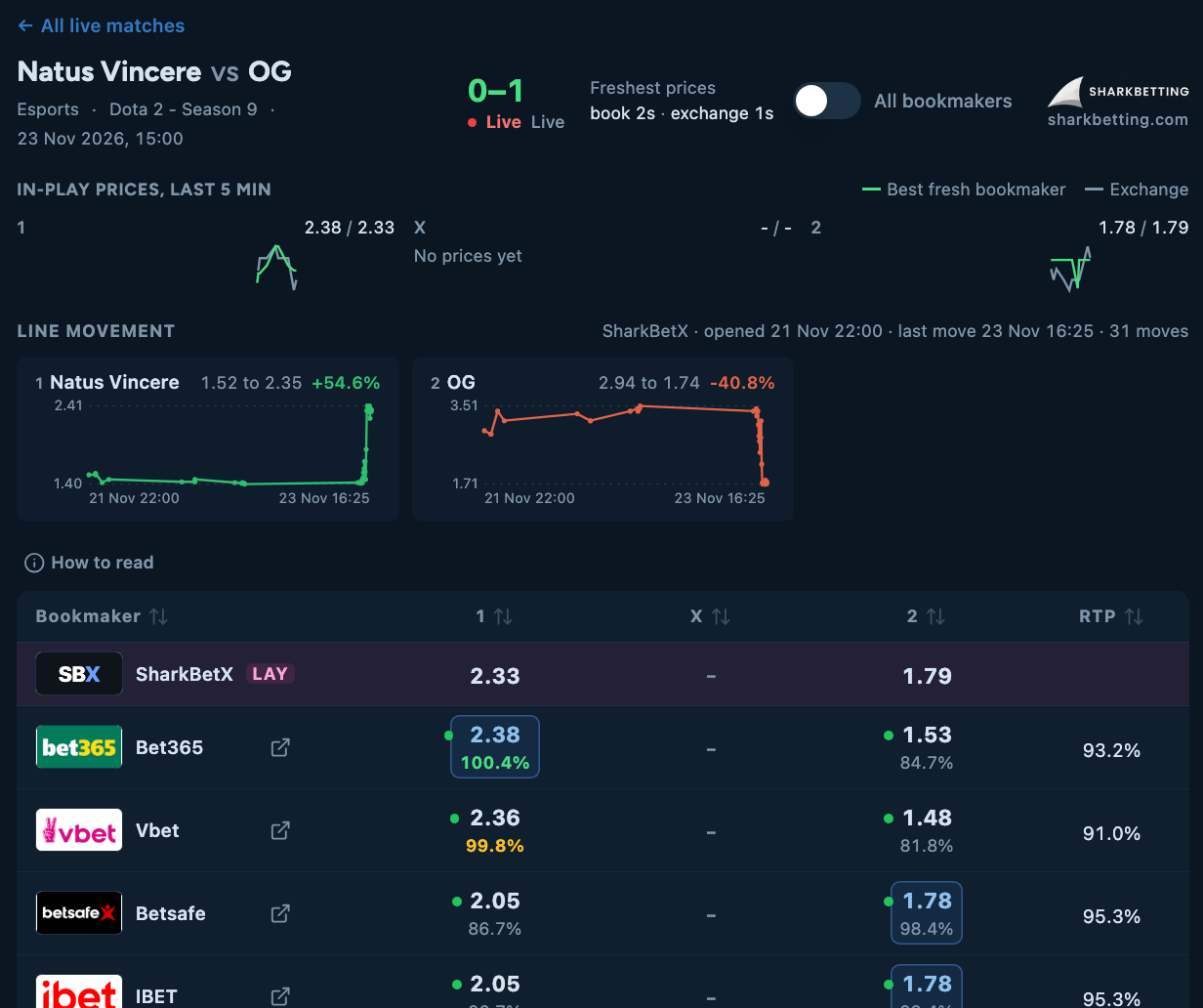
Swipe sideways to see all of it, or tap to open it. Watch the dot beside each price
- Green
- Fresh: bookmaker and exchange both updated in the last 45 seconds.
- Grey
- Settling: the score changed less than 60 seconds ago. The row is faded.
- Amber
- Stale: one or both prices are older than 45 seconds. The row is tinted.
Fresh prices move to the top, in the sort you chose. Only fresh prices are boxed or open the calculator.
In-play prices
In-play prices, last 5 min draws, per outcome, the Best fresh bookmaker price and the exchange price. It is built from what the page has seen since you opened it.
Refresh
Live mode refreshes every 2 seconds and stops when the match ends. It pauses in a background tab and after 10 minutes without a click, key or scroll.
All live matches, above the match, takes you to Live Odds.
Without Pro Live
A live match shows a red Live next to its kick-off and a Match View live card above the table. The prices keep the normal refresh, with no score, dots or in-play chart.
Pro members keep live mode for a while after its launch; a small card at the top says so. See the plans.
What changes what you see
- All bookmakers
- The switch beside the match name. On, the table lists every bookmaker the hub covers, not only the ones you chose. It resets when you reload.
- Settings, Bookmakers
- Which bookmakers you see, here and in the Oddsmatcher. Oddsmatcher guide.
- Commission rates
- Set in the Oddsmatcher's filters. Match View rates and calculates with the same rates. Oddsmatcher guide.
- Settings, Preferences
- Odds display: decimal, American, fractional or percentage, here as everywhere.
- Normal / Compact
- Row size. Compact is the default; your choice lasts while the tab is open.
- Auto:
- How often the page refreshes (Update Frequency). The same setting as the Oddsmatcher's.
The refresh button
It fetches new prices now. When your plan's wait has not passed, it is greyed and its tooltip says Manual refresh available at a time.
Opening another match always loads its prices at once.
Good to know
An event you hid in the Oddsmatcher is not hidden here. Times are in your device's time zone.
What each plan shows
- Not signed in
- Match View Preview: Top Matches and prices from a standard set of bookmakers, updated every minute. No search, line movement, calculator or All bookmakers.
- Free
- Everything on this page except live mode. Refresh every 8 minutes, and up to 2 bookmakers in your settings.
- Pro
- Refresh every 10 seconds, 30 seconds or 2 minutes, and up to 20 bookmakers.
- Pro Live
- Pro, plus live mode with a 2-second refresh, the score and the freshness dots.
Prices and plans: see the plans.
On a phone
On a screen narrower than 1024 pixels (a phone, or a tablet held upright) the page is laid out in cards.
- The match list is folded under Top Matches (or Matches) at the top. Tap to open it; it closes when you pick a match.
- The exchange rows are one pink card that stays under the top bar as you scroll.
- Each bookmaker is a card with 1, X and 2 tiles, its best rating at the top right and RTP below. Tap a tile to open the calculator.
- There are no column headings, so the cards keep the sort: best rating first.
- Normal and Compact are icons only.
Nothing shows or it looks wrong
- No odds available for this match
- None of your bookmakers has a price with a lay. Turn on All bookmakers to see the others.
- Match not found
- The link points at a match the hub does not list. You may see it for a match that has ended.
- No matches available
- No top match has a price from your bookmakers right now. Use the search.
- No live matches right now / No upcoming matches
- The list button is on Live or Pre-match. Switch it to All.
- Error loading match odds
- The prices could not be fetched. Wait a moment and refresh.
- Select a match
- No match is open yet. Pick one from the list.
A price looks too good
Check the price at the bookmaker before you bet: a bookmaker can change it between our refresh and your click.
Prices with a rating above 120% are already hidden as likely errors.
Something in Match View does not match this guide? Tell us on the help page.